The problem
Each coaching client gets their own Slack workspace. Sessions get booked on my calendar. Transcripts come out of the meeting tool. Resumes, decks and run sheets live in Word and OneDrive. Every one of those places held part of the picture, and none of them knew about the others.
So prep for a session meant opening five tools, rereading the last transcript, scrolling Slack, and trying to remember what I'd promised. The promises were the real risk. "I'll send you two examples by Friday" said at minute 40 lives in a transcript nobody rereads. When I took on my first operations client, the problem doubled: now there were people, decisions and owners to track inside someone else's company.
I wanted one place that knows what happened with each client, tells me what needs me this week, and drafts the follow-up so I spend my time on the judgment calls.
What I decided before building anything
The features came later. These rules came first, and every spec I wrote had to honor them.
01
Everything belongs to a client and a session
A Slack message, a transcript, a promise, a document: each one is filed to a person and, when it can be, to the meeting it came from. That one rule is what makes everything else findable.
02
The tool proposes, I decide
It suggests commitments, drafts messages and spots themes. Nothing lands on the record or goes to a client until I accept it, and anything the system suggested keeps that label for good.
03
Answers come only from what's on file
When I ask a question about a client, the answer cites where it came from. If nothing on file answers it, the tool says "not found." I'd rather see a gap than a confident guess about a client.
04
Privacy is the default
Only I can see it. Anything marked sensitive stays out of client-facing drafts unless I override it. Nothing of mine ever signs in on a client's computer.
05
My methods, not new ones
The message templates are copies of the playbooks I already use with clients, word for word. The tool runs my process as written.
06
Clients change nothing
No new app, login or form for them. They keep using the Slack workspace and calendar link they already have.
What it does
Two doors share one tool: a Coaching Workbench for individual leaders and an Operations Workbench for fractional engagements. Same records, same sync, different pages.
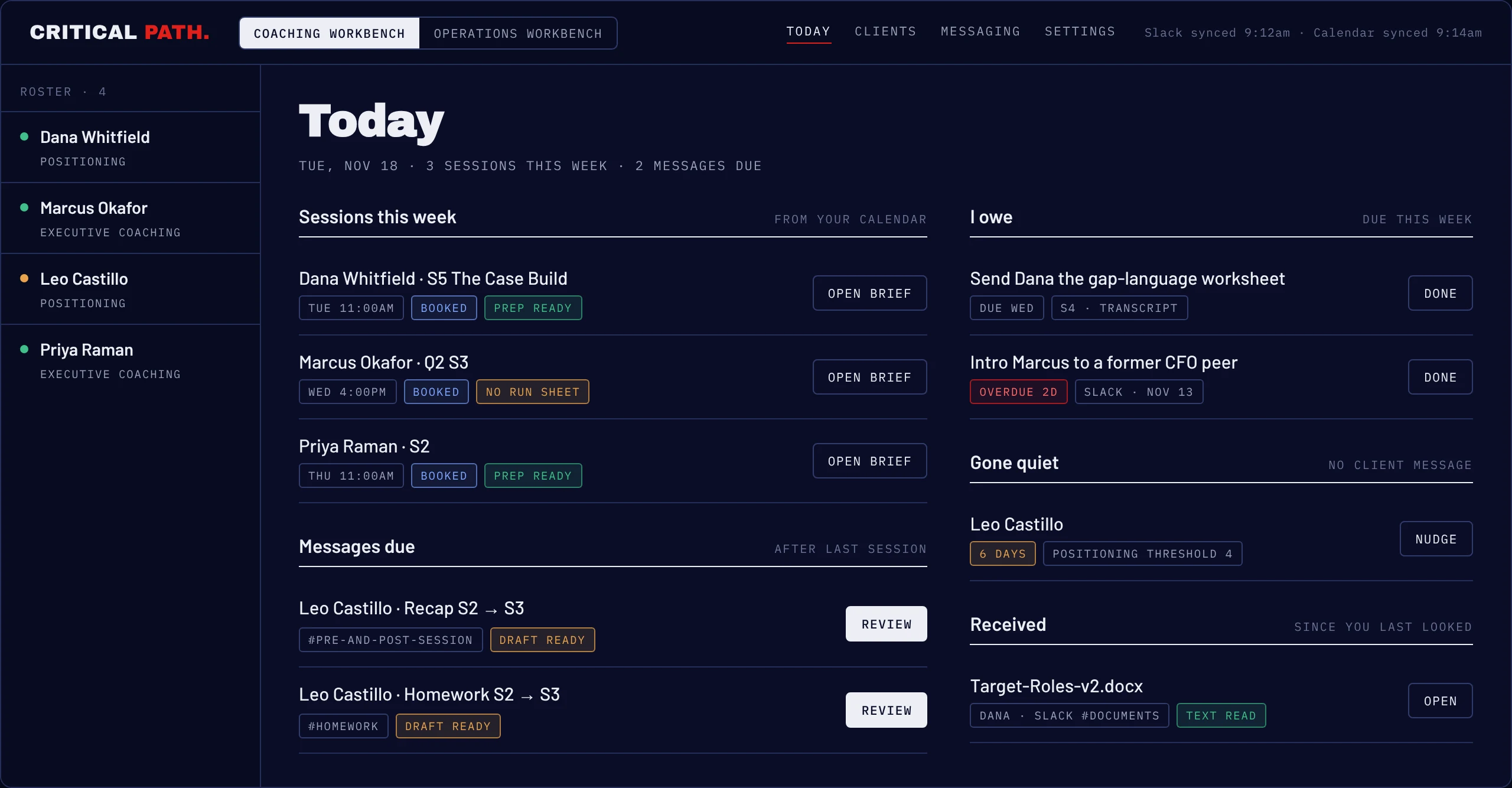
Today: what needs me this week Live
The first screen I open. It reads my calendar and lists every session this week with its prep status, then the messages I owe after recent sessions, the commitments due, any client who has gone quiet longer than their program's normal rhythm, and files that arrived since I last looked.
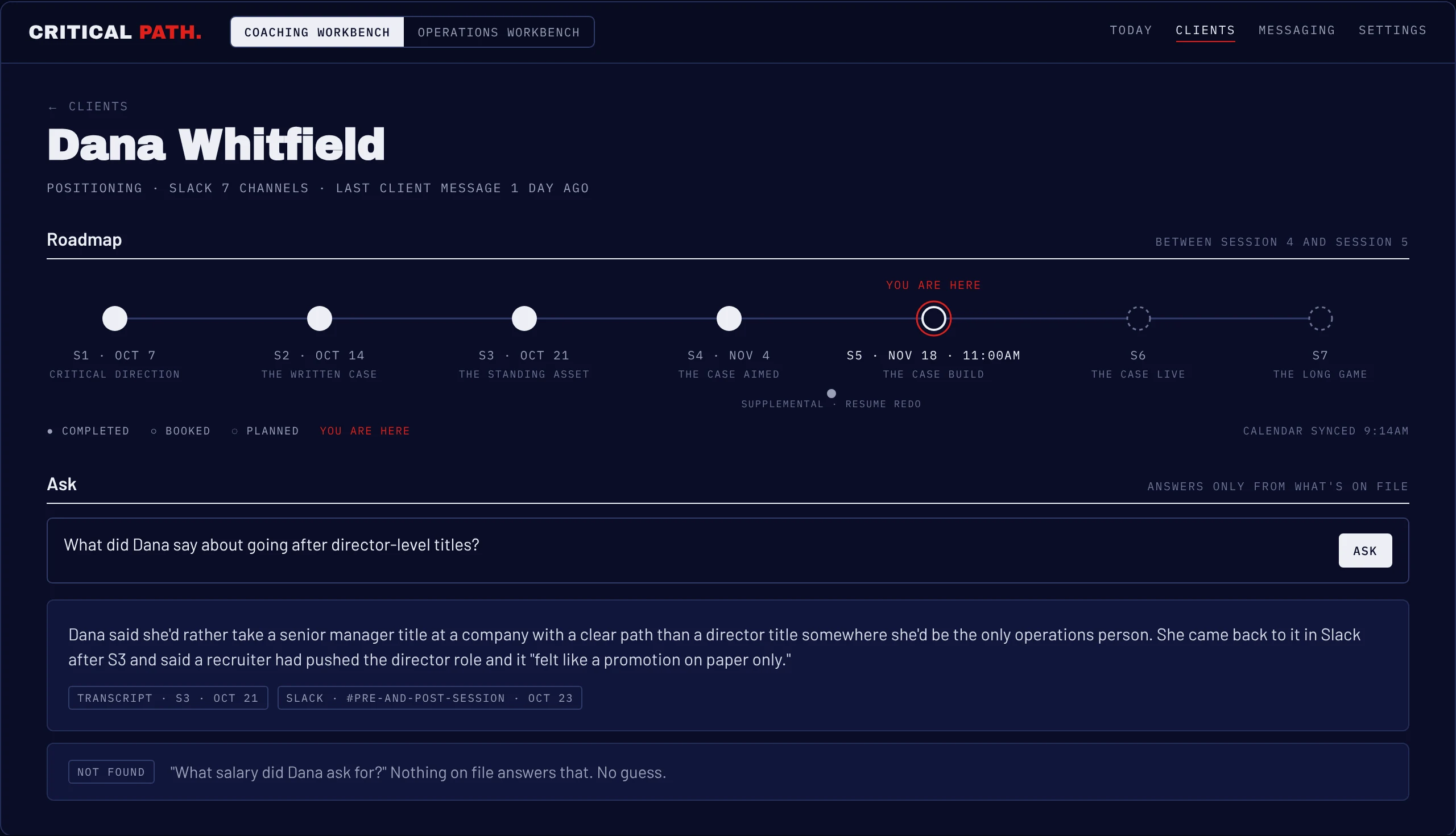
The roadmap, and an Ask box that cites its sources Live
Each client page opens with their program as a line of sessions: completed, booked from the calendar, or still planned, with a "you are here" marker between them. Side sessions, like a resume redo, sit below the line without throwing off the count.
Under it is Ask. I can type any question about the client and get an answer drawn only from their transcripts, Slack and documents, with every source named. When the answer isn't on file, it says so.
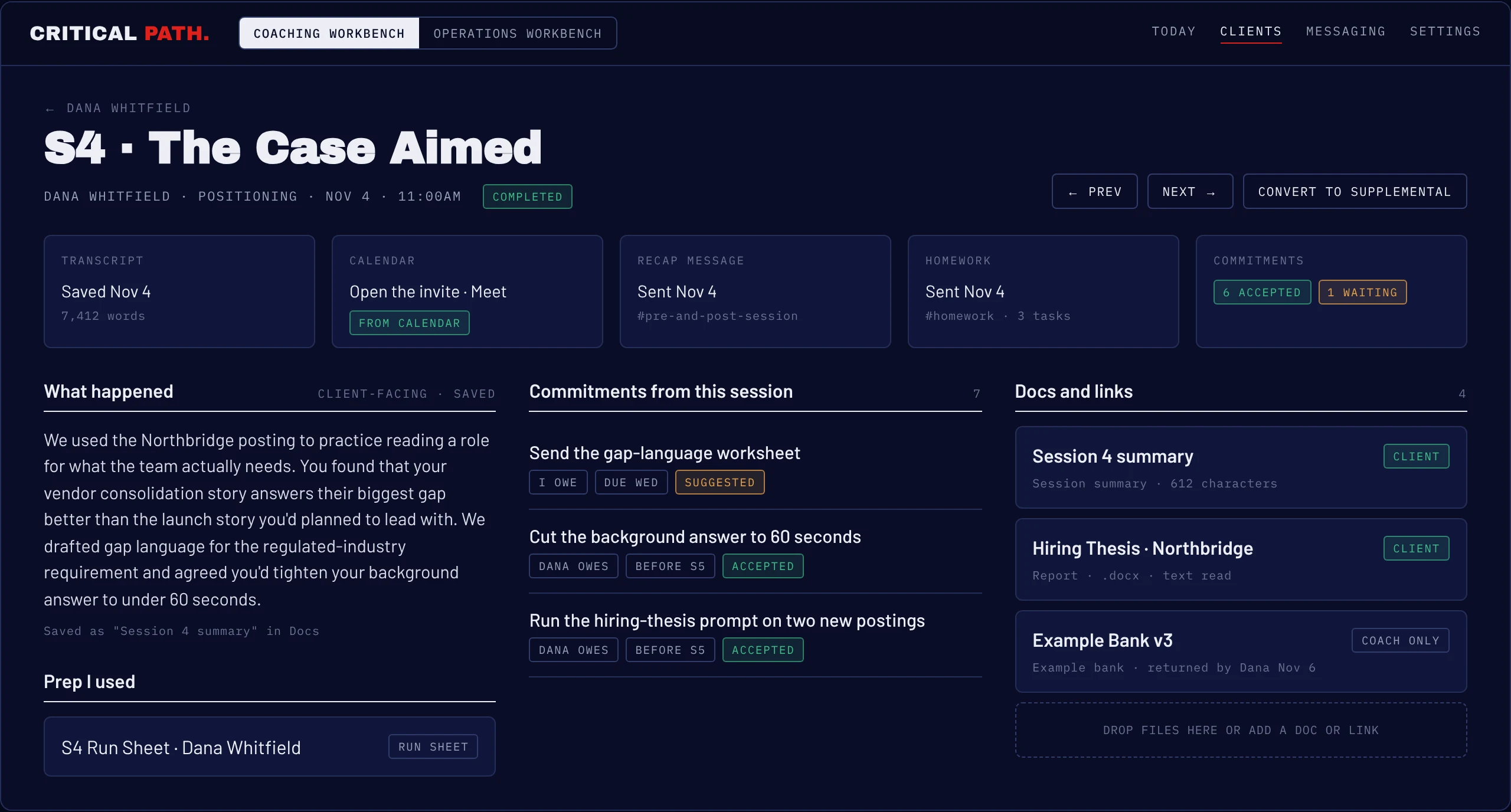
The session page is the record Live
Every meeting gets a page. Drop the transcript in and the tool writes a client-facing summary for me to edit and save, pulls out the commitments, and files everything shared that week: the run sheet I prepped from, the documents the client sent back, the summary itself. The recap and homework messages are drafted from here too, with the right template for where the client is in the program.
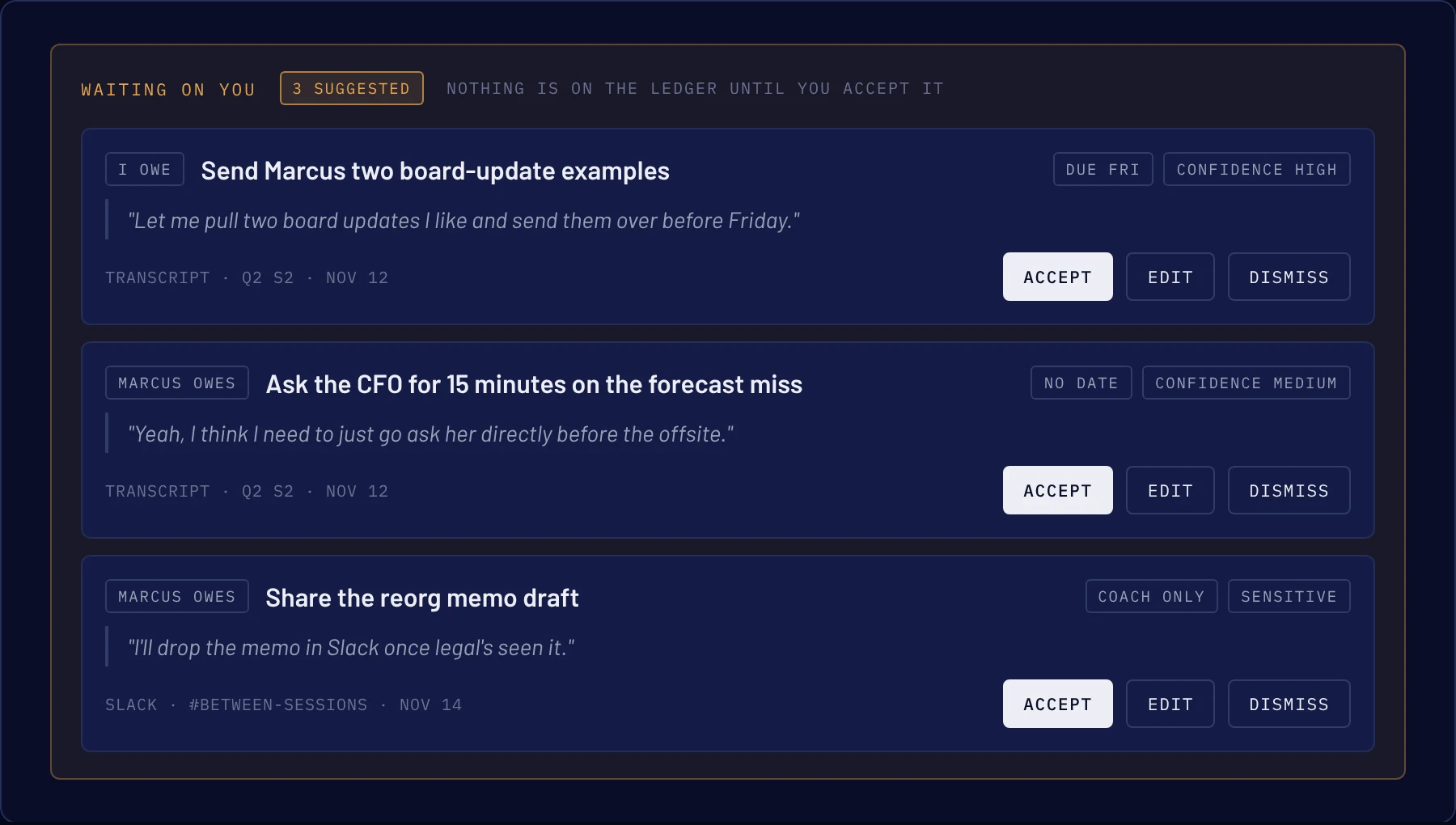
Commitments that find themselves Live
After every transcript or batch of Slack messages, the tool proposes the promises made in it: who owes what, by when, with the exact quote. I accept, edit or dismiss each one. Accepted items become the ledger that feeds Today.
Anything flagged sensitive is held as coach-only, so it can never slip into a client-facing message.
Drafts in my voice Live
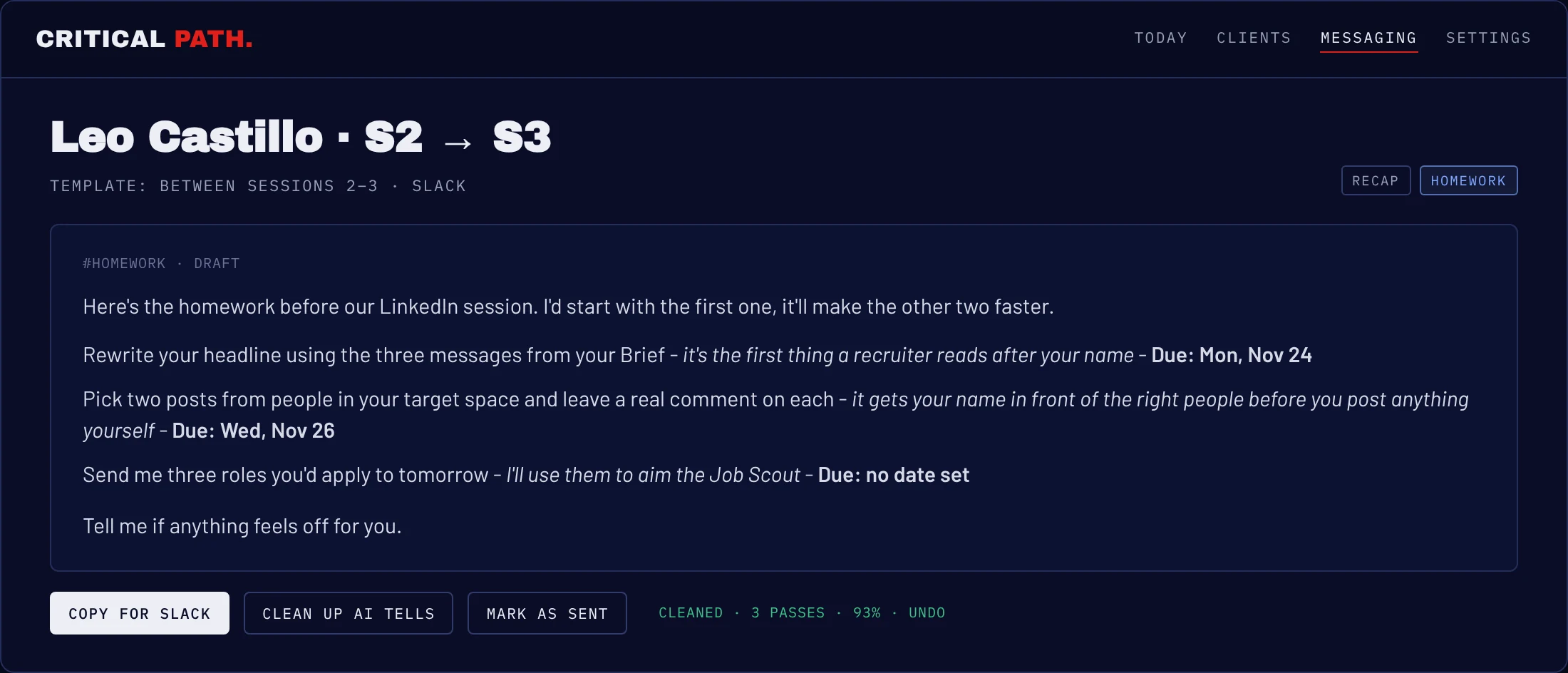
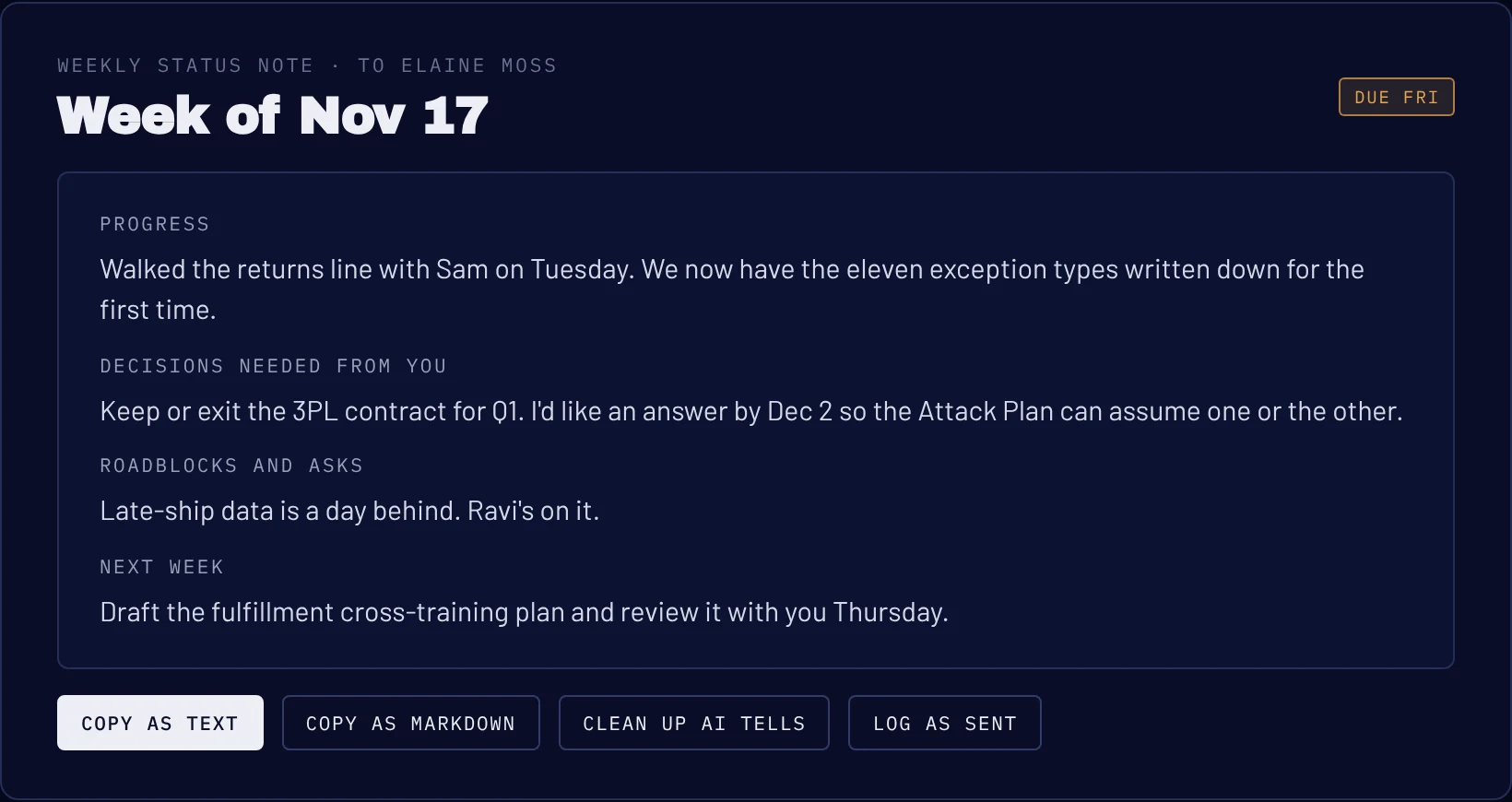
Recaps, homework and the weekly operations status note come out as drafts built from the session and my own templates. Homework follows one format clients learn to scan: the task, why it matters, and when it's due. One button runs my writing-voice rules over a draft and rewrites anything that reads machine-made, in place, with Undo. Then I copy it into Slack and mark it sent, and the send log stays accurate.
Context arrives on its own Live
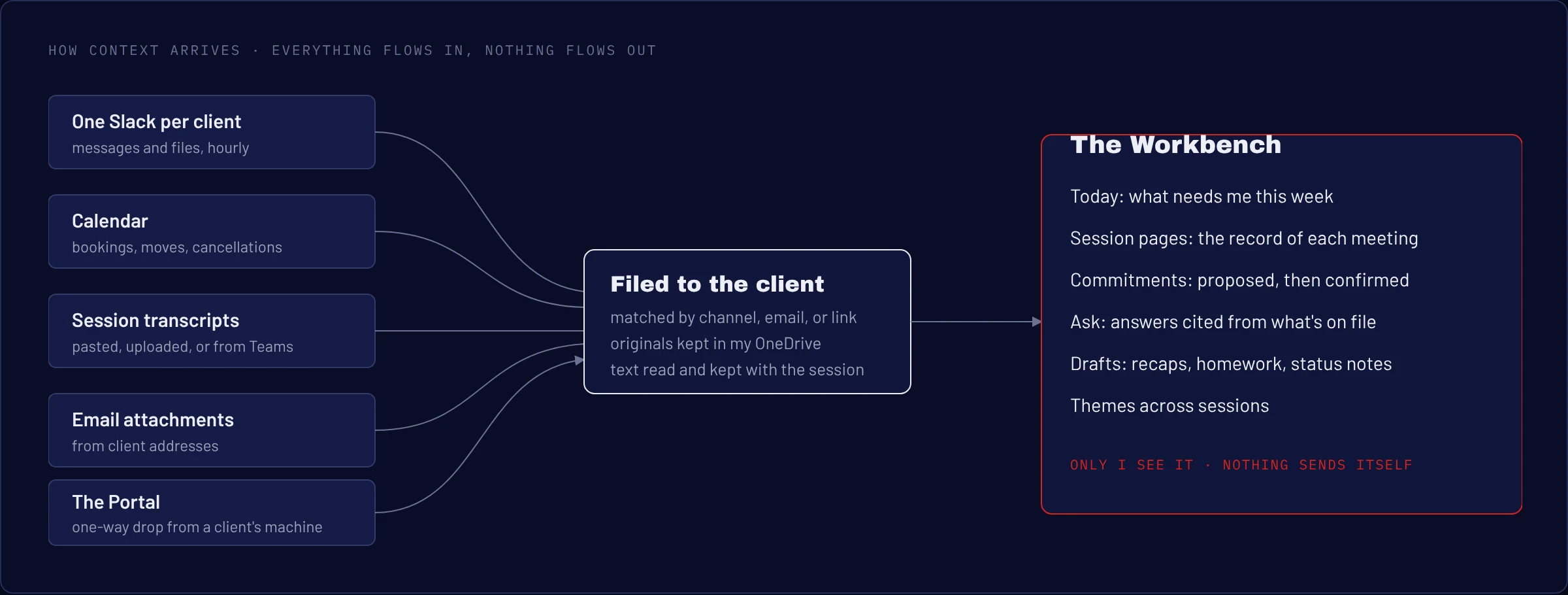
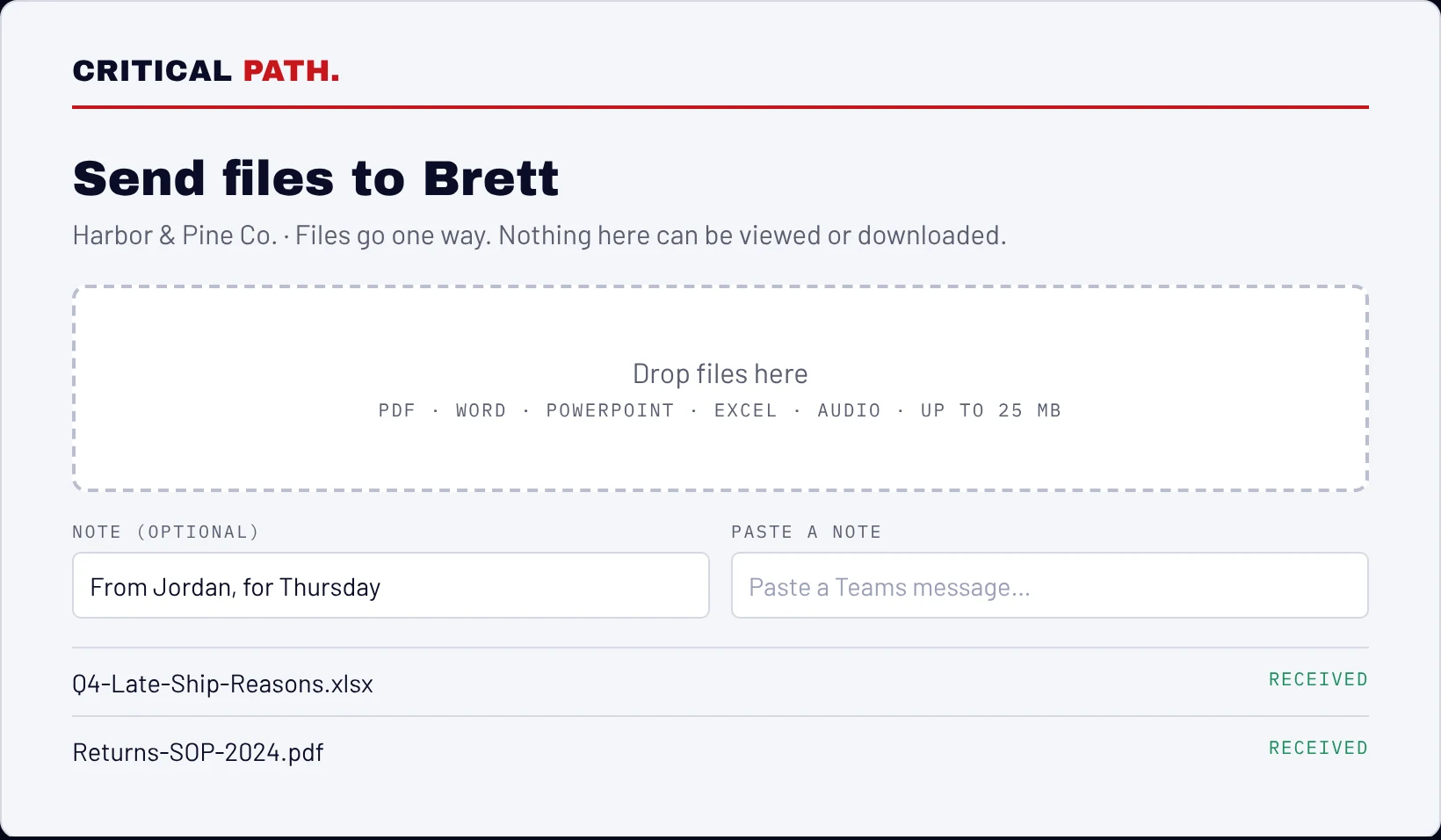
I didn't want to be the one moving data around. Messages from each client's Slack workspace are captured on the hour. Calendar bookings, reschedules and cancellations update the sessions they belong to, matched by the client's email. Transcripts attach to their meeting. Email attachments and files from Slack are being added next, filed into each client's folder in my OneDrive with dates in the name so nothing a client sends back ever overwrites my version.
The second door: operations engagements In build
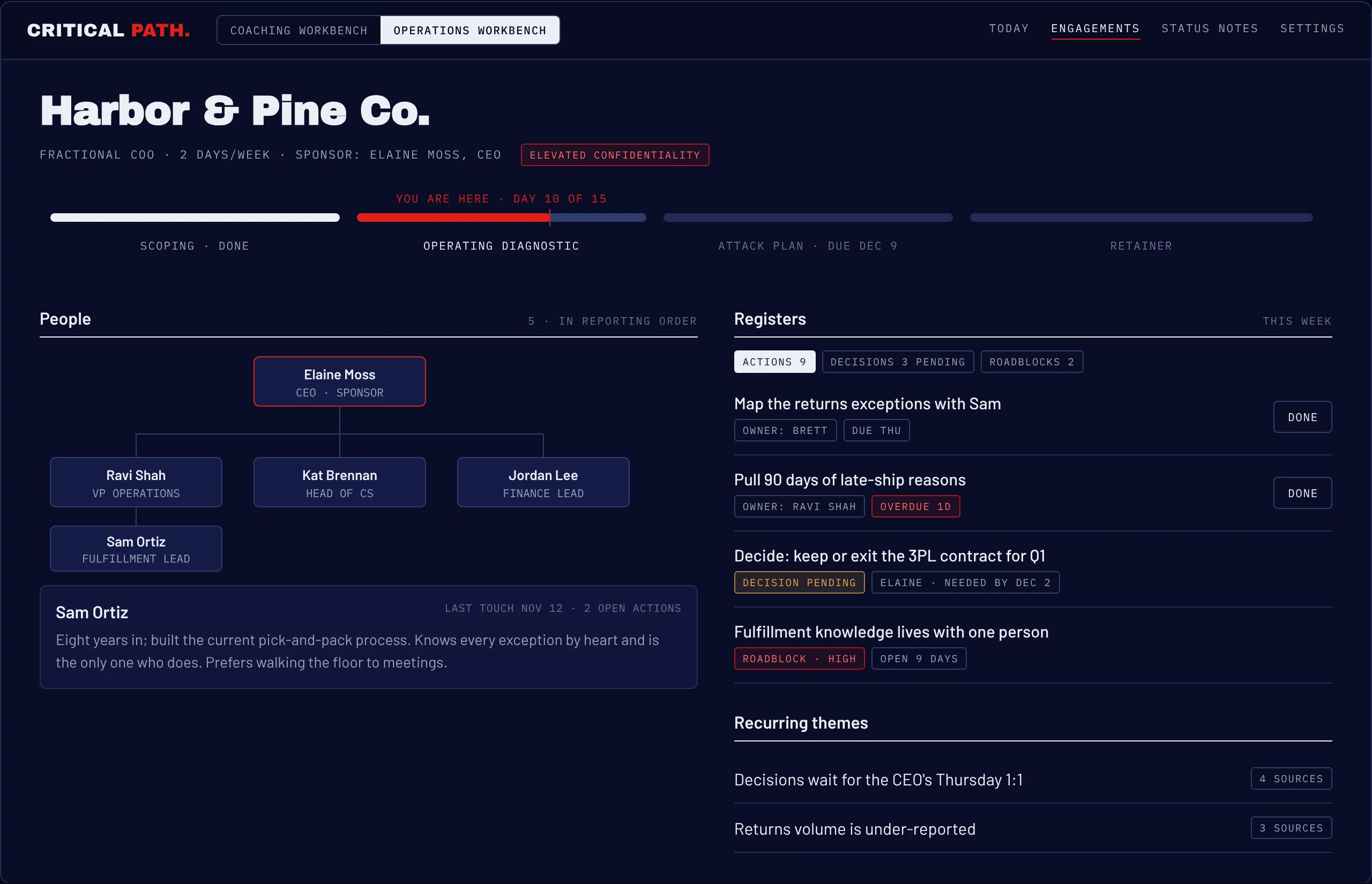
A fractional engagement covers a whole company, with people, reporting lines and decisions that wait on someone. The Operations Workbench is built around that: a phase bar from scoping through the diagnostic and attack plan to the retainer, a People section with each person's role, background and my working notes, an org chart, and registers for actions, decisions and roadblocks, each with an owner. Recurring themes surface the patterns that keep coming up across meetings.
How the work ran
I ran this the way I'd run a product team, with me in every seat that holds judgment.
Design first, on a canvas
Every screen was mocked before any code existed, so I could react to layout and flow while changes were free.
Written specs, each with its own test
Ten build specs, one per capability, each ending with a test script written against real situations from my week. A principles document sat above all of them. An open-questions log tracked every decision still waiting on me, and items moved to "settled" with the answer and the date.
Judgment held, building handed off
I wrote the specs and made every call about behavior, privacy and wording. An AI coding agent built against the specs. I reviewed what came back against the tests and against my own client data, and nothing shipped on its word alone.
Running it on live work exposed real bugs
Using it daily turned up problems no mockup would: session dates that slipped into the wrong month, a calendar sync that numbered a booking twice, deletes that hid a record while its text stayed searchable. Each one became a rule in the spec, a repair to the data, and a standing integrity check so the same class of problem can't hide again.
What it says about how I work
This is the same work I do for clients, pointed at my own practice. I sequenced it by risk: get the record and the privacy rules right before building anything that writes to a client. I wrote down decisions so they could be checked. I kept a human in every step that touches a relationship. And I used the tool on real work from week one, because that's the only place the real problems show up.
If your team is running on scattered tools and a few people's memory, this is the kind of system I'd help you build.
Every screen on this page shows invented clients, companies and quotes. No client data appears anywhere in this case study.